claudekit / tools / atlassian
[ MCP · DevOps ]

Atlassian

Official MCP server for Jira and Confluence. Query and update issues, manage Confluence pages, and stay in your editor instead of context-switching to the browser.

$ /plugin install atlassian copy

Atlassian official MCP server

What it does

The Atlassian MCP server connects Claude Code directly to Jira and Confluence so you can read, create, and update issues and pages without leaving the editor.

Features

  • Jira issue operations — search, create, comment, transition status
  • Confluence page management — read, create, update pages and spaces
  • Natural language queries — e.g. “show me all open P1 bugs assigned to me this sprint”
  • Context preservation — stay in Claude Code instead of switching to the browser

Use cases

  1. After fixing a bug, automatically transition the related Jira issue from “In Progress” to “Done”.
  2. When opening a PR, auto-link the related Jira issue.
  3. Review incomplete items on the sprint board and plan work by priority.

When to use it

  • Triage Jira issues and transition tickets in bulk
  • Generate Confluence documentation from code changes
  • Link code changes to Jira tickets without leaving the PR context

Install

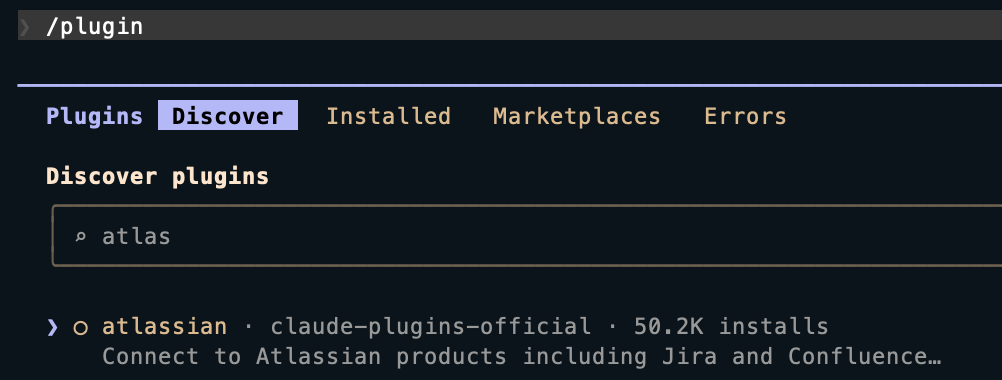
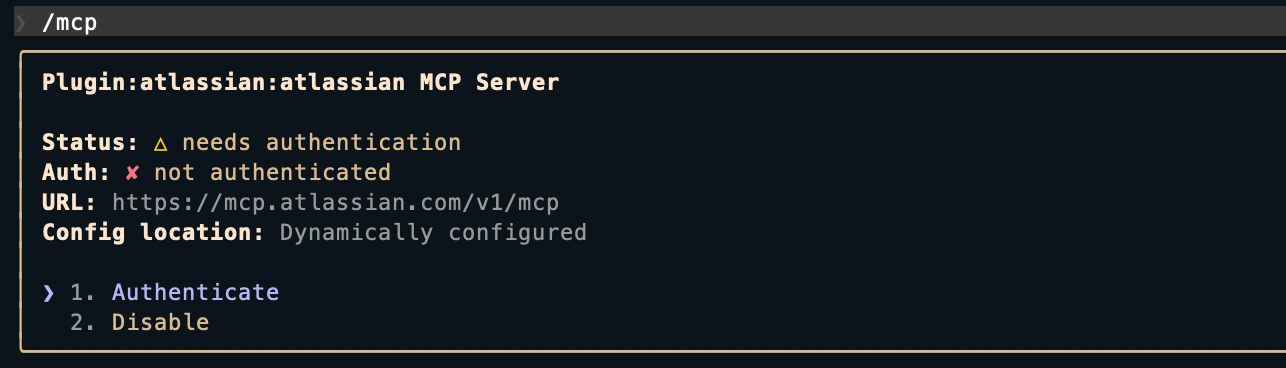
1. Add via CLI

claude mcp add --transport sse atlassian https://mcp.atlassian.com/v1/mcp

2. Claude Code CLI

Atlassian MCP server CLI install screen

Atlassian MCP server CLI auth screen

§ 6

See also

same category · curated
[01]
[Skill] Google Skills · Agent Skills for Google products and technologies — maintained by Google. The repo ships 13 skills: 7 foundational (Gemini API, AlloyDB, BigQuery, Cloud Run, Cloud SQL, Firebase, GKE basics), 3 recipes (Google Cloud onboarding, auth, network observability), and 3 Well-Architected Framework skills (security, reliability, cost optimization), so Claude Code pulls in Google Cloud guidance automatically when those topics come up.
tool · claudekit.io / tools / google-skills
[02]
[Plugin] Commit Commands · Streamline your git workflow with simple commands for committing, pushing, and creating pull requests.
tool · claudekit.io / tools / commit-commands
[03]
[MCP] GitHub MCP · The GitHub official MCP server. Browse repositories, manage issues and PRs, monitor Actions, and run code security analysis — all from Claude Code.
tool · claudekit.io / tools / github-mcp
§ 7

Frequently Asked Questions

frequently asked
§ 7.1
What is Atlassian MCP?
An MCP server that lets Claude Code query, create, and update Jira issues and manage Confluence pages directly. It's listed on the claude-plugins-official marketplace.
§ 7.2
Where does it run?
Claude Code, Claude Desktop, VS Code, and Cursor.
§ 7.3
How do I install it?
In Claude Code, run `/plugin install atlassian`. To add it as a raw MCP server, run `claude mcp add --transport sse atlassian https://mcp.atlassian.com/v1/mcp`.
§ 7.4
What can it do?
Manage Jira issues (query, create, update status, comment), browse and create Confluence pages, link code to related Jira issues, and check sprint status.
§ 7.5
When is it most useful?
Auto-updating Jira issue status after a bugfix, linking related issue numbers when opening a PR, and reviewing open sprint issues to set priorities.